1IPTV, what exactly is it?
IPTV signifie Internet Protocol Television. This is a game-changing technology that lets you receive television programmes through your internet connection, instead of traditional means such as satellite, cable or the TNT aerial.
Unlike streaming platforms such as Netflix or Disney+ which only offer video on demand, IPTV broadcasts channels en direct, just like traditional television, but with more flexibility and a far wider catalogue of +36 000 channels.
IPTV generally includes:
- Live television : 36,000+ French and international channels
- VOD : 80,000+ films and series on demand
- Catch-up TV : Catch-up of past programmes for up to 14 days
2How Exactly Does IPTV Work?
IPTV relies on the internet protocol (IP) to deliver video streams. Here is the simplified process:
️ 1. Serveur
The content is hosted and encoded on high-performance IPTV servers
2. Internet
The streams are delivered via your high-speed internet connection
3. Affichage
An app decodes and then displays the content on your screen
IPTV connection formats:
M3U (Playlist) : A file gathering the channel URLs. Simple but less secure.
Xtream Codes API : Connection via credentials (server, username, password). More stable and secure, recommended.
3The Benefits of IPTV
+36 000 Channels
Access thousands of channels from around the world in 4K quality.
Multi-Devices
TV, smartphone, tablet, PC... watch wherever you like.
4K UHD Quality
Enjoy the best picture quality available.
Anti-Freeze
Anti-cut technology for smooth streaming.
No Commitment
Flexible subscriptions, cancel whenever you like.
Replay 14 Jours
Catch up on programmes you missed for up to 14 days.
80 000+ VOD
Films and series on demand included.
Support 24/7
Technical support in French available.
4IPTV or Cable/Satellite: What Are the Differences?
A detailed comparison between IPTV and traditional solutions:
| Criterion | IPTV | Cable/Satellite |
|---|---|---|
| Prix monthly | 15-£30/month | 40-£100/month |
| Number of channels | +36 000 channels | 150-300 channels |
| VOD incluse | 80,000+ films/series | Limited or paid |
| Multi-devices | Unlimited | 1-2 set-top boxes |
| Engagement | No commitment | 12-24 months |
| Installation | 5 minutes (app) | Technicien requis |
| 4K Quality | Standard | Paid add-on |
| Mobility | Partout | Domicile uniquement |
| Channels internationales | Monde entier | Limited |
| EPG (TV Guide) | Complete British | Oui |
Our verdict: IPTV offers better value for money with far more content, greater flexibility and no commitment. Cable/satellite keeps its appeal if you want absolute stability or don't have fibre.
5Is IPTV Allowed in the UK?

IPTV technology in itself is 100% legal in the UK. IPTV is nothing more than a way of delivering video over the internet, just like Netflix or YouTube. What determines legality is the provider et the content being broadcast.
️ Legality of IPTV in the UK
Legal IPTV
- • Broadcasting rights
- • Legal licence
- • Registered company
- • Facturation officielle
Illegal IPTV
- • Piratage channels
- • Lack of a licence
- • Prix < £10/an
- • Revendeurs anonymes
How to spot a legal IPTV? Consistent pricing (£15-30/month), responsive support, professional site, secure payment.
6Devices Compatibles
Televisions
- Samsung Smart TV (Tizen)
- LG Smart TV (webOS)
- Android TV (Sony, Philips)
Boxes Streaming
- Amazon Fire TV Stick
- Apple TV
- Nvidia Shield / Chromecast
Mobile / Tablette
- iPhone / iPad (iOS)
- Smartphones Android
- Tablettes Android
Ordinateurs
- Windows PC
- Mac
- Linux
7Internet Connection Required
Recommended bitrates
Tips for an optimal experience:
- Wired connection (Ethernet) recommended : Maximum stability, especially for 4K streaming.
- Favour 5GHz Wi-Fi over 2.4GHz : Faster and less congested.
- Fibre optic is ideal : Minimal latency. ADSL: stick to Full HD if your speed is < 15 Mbps.
- Close other applications : Stop downloads and updates while watching.
8Installing IPTV: How to Do It?
Installation is done in just a few minutes:
- 1
Choose an IPTV subscription
Go for a plan that suits you (Premium, 4K, Family).
- 2
Receive your credentials
Once payment is made, your M3U link or your credentials Xtream Codes are sent to you by email.
- 3
Install an IPTV app
Download IPTV Smarters, TiviMate or Smart IPTV on your device.
- 4
Set up and enjoy
Enter your credentials and enjoy your 36,000+ channels!
Complete guides for Fire TV Stick, Samsung/LG Smart TV, Android Box, iPhone/iPad, PC/Mac.
9Applications Recommended
IPTV Smarters Pro
The most popular app. Intuitive interface, compatible with all devices.
TiviMate
Modern interface with an advanced EPG. The best on Android TV.
VLC Media Player
Free and open source. Supports M3U files on all systems.
Smart IPTV
Perfect for Samsung and LG Smart TVs. Simple and effective.
10How to Choose the Best IPTV in the UK?
Here are the 8 criteria essentiels to pick a reliable, quality IPTV service:
Anti-cut technology with several redundant servers.
At least 10,000+ channels and 50,000+ VOD films/series.
Adaptive streaming up to 4K depending on your connection.
French support via WhatsApp, email or responsive chat.
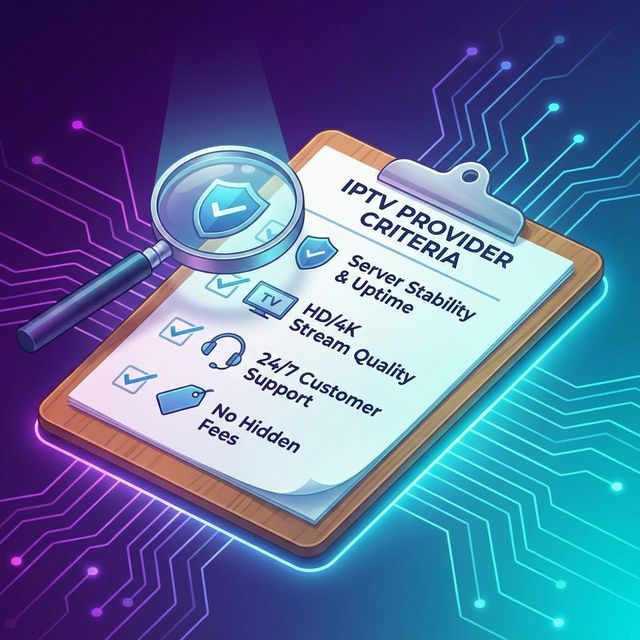
Full TV guide with descriptions and schedules.
IPTV Smarters Pro, TiviMate, Xtream Codes format.
£15-30/month. Be wary of abnormally low prices.
1-month plan at £10.99 and 30-day money-back guarantee.
11Our Complete Guides
Explore every aspect of IPTV with our detailed guides, written and tested by our team.
Best IPTV in 2026
A complete comparison of the most reliable IPTV services in the UK.
Is IPTV allowed in the UK?
Legal framework, risks and methods for staying within the law in 2026.
VPN for IPTV: The Complete Guide
Why use one, which to choose and how to set up a VPN with IPTV.
IPTV Without Cuts: Anti-Buffering
10 proven solutions to eliminate buffering and micro-cuts.
12IPTV Glossary: 12 Terms to Know
To communicate easily with your IPTV provider or its technical support, here are the key terms of streaming jargon in 2026. You'll come across them in our guides, our activation emails and all the major IPTV apps.
M3U / M3U8
A universal playlist format that lists the URLs of IPTV channels. M3U8 uses UTF-8 encoding and supports French accented characters.
Xtream Codes API
A modern connection protocol that transmits credentials and catalogue structure. Preferable to M3U as it handles categories, VOD, EPG and favourites in a single connection.
EPG (Electronic Program Guide)
An electronic TV guide in XMLTV format that displays channel schedules with times, descriptions and programme durations, generally over 7 days.
HLS (HTTP Live Streaming)
An adaptive streaming technology designed by Apple, which has become the de facto standard for IPTV. It adjusts quality on its own according to the bandwidth detected.
Codec H.264 / H.265 (HEVC)
Video compression algorithms. H.265 (HEVC) compresses 2× better than H.264 — essential for enjoying 4K on standard fibre.
Bitrate
The amount of data per second of the video stream. Rough guide: SD ≈ 2 Mbps, HD ≈ 5 Mbps, FHD ≈ 8 Mbps, 4K H.265 ≈ 15–25 Mbps.
CDN (Content Delivery Network)
A network of servers spread around the world that brings streams closer to users in order to reduce latency and ensure availability at peak times.
Buffering / Tampon
A temporary pause while a few seconds of stream are pre-loaded. A buffer that is too short causes cuts, too long delays playback.
Adresse MAC
A unique hardware identifier in the format XX:XX:XX:XX:XX:XX. Used by Smart IPTV, Net IPTV and MAG boxes to link the playlist to a given device.
Sideloading
Installing an app via an official APK outside the store. Essential on Fire Stick to install TiviMate, or on some older Smart TVs.
HDR / Dolby Vision
Extended dynamic range technologies that enhance contrast, brightness and colour palette. Reveals the full potential of 4K UHD on compatible TVs.
Catch-up TV / Replay
A feature that lets you re-watch a programme already broadcast in the previous hours or days, without having recorded it. Very common on BBC One, France TV, Channel 4.
134K HDR via IPTV: what you really need to know
4K Ultra HD (3840 × 2160 pixels) equals 4 times the definition of Full HD. On IPTV, it is increasingly accompanied by HDR (High Dynamic Range), which extends the colour palette and contrast for a cinematic look. In 2026, most new film releases and almost all the major sporting competitions (Champions League, Formula 1, Tour de France) are broadcast in 4K.
To make the most of this quality, three conditions are required: a stable internet connection of at least 25 Mbps, un 4K HDR compatible device (Fire TV Stick 4K Max, Apple TV 4K, Nvidia Shield, recent Smart TV) and a screen 4K fitted with an HDMI 2.0 or higher input. Without one of these three elements, the 4K stream will automatically drop to 1080p or revert to buffering.
Three HDR formats coexist today: HDR10 (the most widespread, free), HDR10+ (Samsung's dynamic extension) and Dolby Vision (the most advanced, patented). Our IPTV catalogue offers all three; the app itself chooses the best format supported by your TV.
Bon à savoir
4K HDR uses more data than an HD stream: allow around 7 to 9 GB per hour of 4K film. On fibre, this is negligible; on 4G/5G, keep an eye on your data allowance when on the move.
14Quick Diagnosis: What to Do if Your IPTV Plays Up?
Here is the diagnostic procedure we follow at technical support, in order. Apply it step by step before contacting an agent — in 80% of cases, everything is sorted at steps 1 or 2.
Measure the real internet speed
Run fast.com or speedtest.net from the device concerned, not from another one. If you drop below 15 Mbps, the problem probably comes from your connection, not the IPTV server.
Restart box + playback device
Physically unplug your internet router for 30 seconds then plug it back in. Also restart your Fire Stick, Smart TV or smartphone. This simple step fixes most temporary cuts.
Switch to Ethernet or 5 GHz Wi-Fi
2.4 GHz Wi-Fi is congested in most buildings and caps at 25 Mbps usable. Run an Ethernet cable to your TV or connect to the 5 GHz SSID if you're near the router.
Clear the IPTV app cache
In IPTV Smarters Pro or TiviMate, go to Settings → Cache → Clear. On Fire Stick: Settings → Applications → Manage installed applications → Clear cache.
Increase the buffer size
In the advanced settings, increase the buffer from 2 to 5 seconds (HD) or 8 seconds (4K). You'll lose a little responsiveness, but gain considerably in stability.
Contact WhatsApp support
If the problem persists after these steps, it's a special case. Our WhatsApp support responds in under 15 minutes during the day and guides you via screen sharing if needed.
For recurring cuts even after these steps, refer to our complete guide IPTV without cuts or the tutorial internet speed for IPTV.