Support EzzeTV 24/7 : Technical Assistance and Express Troubleshooting
Enjoy professional IPTV technical assistance in English, reachable day and night. Our team of experts replies in under 5 minutes on WhatsApp to sort out all your issues.
IPTV Subscription Pack
IPTV 12 MONTHS Premium
Assistance 24/7 incluse
just £4.33/month
or start with 1 month at £10.99
Have a question? Get in touch
Describe your issue in a few lines. We reply by email or on WhatsApp, usually within the hour.
Message sent
Every subscription includes responsive technical support in English via WhatsApp. Reply in under 5 minutes, 7 days a week.
Contact Our IPTV Support Team
Choose your preferred contact channel - we remain reachable 24/7
Support
Reply in under 5 minutes
Write to us directly for immediate help.
Available 24/7
Ouvrir Support →Write to Us
📬 Reply within 24 hours maximum
Use the support form at the top of this page
Reply 7 days a week - Average time 12h
Open the Form →Live Chat
Instant response
Chat in real time with a support advisor.
3 advisors online
Start the Chat →Contact Form
Reply within 24-48 hours
Complete our form for complex enquiries.
Handled 7 days a week
Fill in the Form →️ Our Fast Reply Guarantee
99% of messages handled in under 5 minutes
Average reply time: 12 hours
98% of problems resolved on first contact
️ Guarantee Satisfaction: If your problem isn't sorted within 48h, you get a free 7-day extension on your subscription.
️ Sorting Out IPTV Buffering Problems
Buffering is the most common issue among IPTV users. Most of the time, it comes from your internet connection or your app settings. Here are 4 quick fixes that sort out 95% of dropout cases.
Check your internet speed
A connection of at least 25 Mbps is recommended for HD streaming, 50 Mbps for la 4K.
Test My ConnectionGo for a wired connection
Wi-Fi can lack stability. Connect your device directly to the router via cable Ethernet si possible.
Guide EthernetEnable hardware acceleration
This option makes use of your device's graphics processor to decode the video more efficiently.
️ How to activateAdjust the app's buffer
Increase the buffer size in the advanced settings of your IPTV player (IPTV Smarters Pro, TiviMate) to 10-20 seconds.
Set up Buffer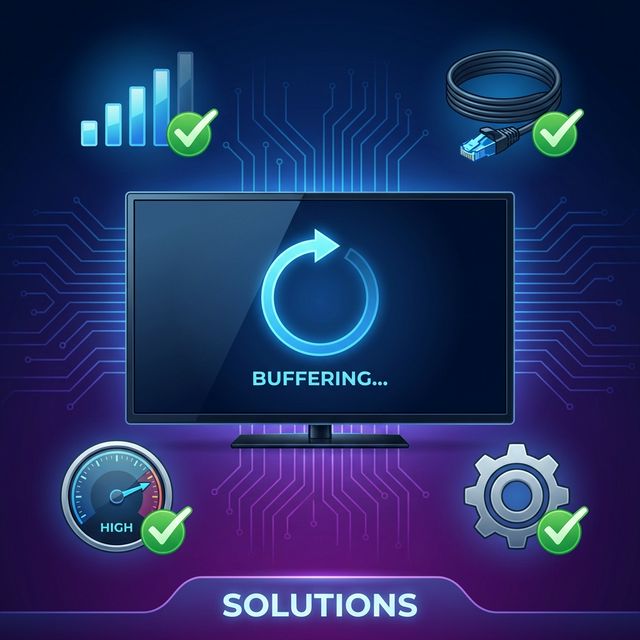
Still having buffering issues?
Contact SupportQuick Troubleshooting Guides
Answers to the most common issues - sort out your problem in 2 minutes
How do I activate my account?
I can't activate my subscription
After payment, you receive your login details by email/WhatsApp within 5 minutes. Enter them in IPTV Smarters Pro > Login > Xtream Codes API.
Complete GuideMy EPG isn't showing
No TV guide in my app
Go to Settings > EPG > Refresh. The EPG loads in 2-5 minutes. Make sure the 'Download EPG' option is enabled.
Set Up EPG →The channels won't start
Black screen or playback error
Check your internet connection (min 10 Mbps). Change server in the app. Clear the cache: Settings > Apps > IPTV Smarters > Clear cache.
Detailed Solutions →The picture is blurry or pixelated
Insufficient video quality
Check your internet speed (25 Mbps for HD, 50 Mbps for 4K). In the app, set 'Video Quality' to 'Auto' or 'HD'. Restart your router.
Optimise Quality →How do I renew my subscription?
My subscription is about to expire
Write to us on WhatsApp 7 days before expiry. We'll send you the payment link. Instant activation - no interruption.
Renouveler MaintenantInstall on a new device
I'd like to use IPTV on another device
Reuse the same login details on the new device. Standard subscription: 1 screen. Family Pack: up to 4 screens at once.
Installation TutorialsFrequently Asked Questions - IPTV Support
Browse our FAQ to find quick answers to the most common questions
Commandes & Payment
What payment methods do you accept?
How long does activation take?
Can I get a refund?
How do I renew my subscription?
Can I change plan during my subscription?
Technique & Installation
On how many devices can I use my subscription?
Which devices are compatible?
What internet connection do you need?
How do I sort out buffering problems?
The picture quality is poor, what should I do?
How do I set up the EPG (TV guide)?
️ Service & Garanties
Is the service stable?
Are the channels kept up to date?
Is there a TV guide (EPG)?
How can I try the service?
What happens if I forget to renew?
Can I use IPTV abroad?
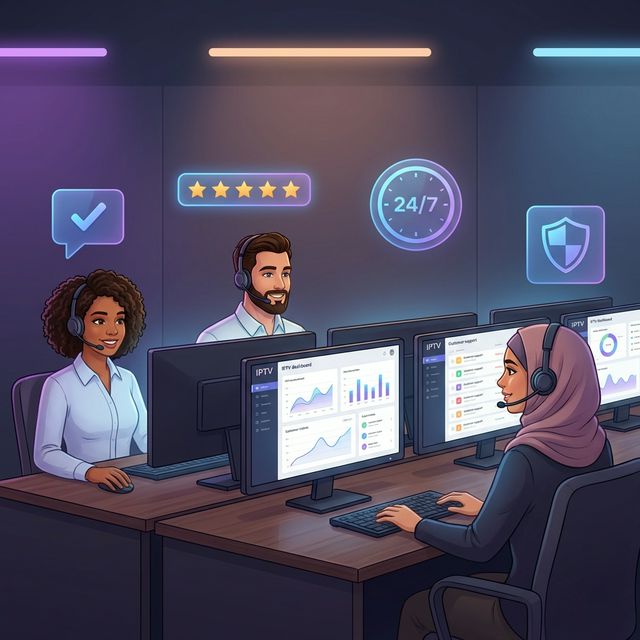
Our EzzeTV Support Team
Our technical support team brings together 15+ English-speaking IPTV experts available 24 hours a day, 7 days a week to help you.
On average we handle 500+ enquiries a day with a satisfaction rate of 4.9/5 stars and an average resolution time of under 2 hours.
Whether you're a novice or a seasoned user, our support adapts to your technical level.
🕐 Support Hours and Availability
| Canal | Availability | Reply Time |
|---|---|---|
| 24h/24 - 7j/7 | < 5 minutes | |
| Chat Live | 24h/24 - 7j/7 | Instant |
| 24h/24 - 7j/7 | < 24 heures | |
| Formulaire | 24h/24 - 7j/7 | < 48 heures |
📢 Major Sporting Events: During big matches, our support is boosted with +50% more agents.
🎄 Bank Holidays: Our support stays open 365 days a year, including Christmas, New Year and all bank holidays.
Useful Resources to Help You
Browse our guides and tutorials before getting in touch with support
Guides d'Installation
Tutorials for Fire TV Stick, Samsung/LG Smart TV, Android, iOS, PC/Mac
See the Tutorials →Blog EzzeTV
Articles, comparisons, optimisation tips. 25+ articles written by our experts
Read the Blog →IPTV Beginner's Guide
Understand IPTV from A to Z: how it works, benefits, installation
Read the Guide →Complete FAQ
Frequently asked questions about subscriptions, installation and compatibility
See the FAQ →Contact Our Support Team Without Delay
We're here to help! Write to us without hesitation via WhatsApp. Have this information ready to speed things up: your username, the type of device you're using and a description of the problem.